


 客服
客服




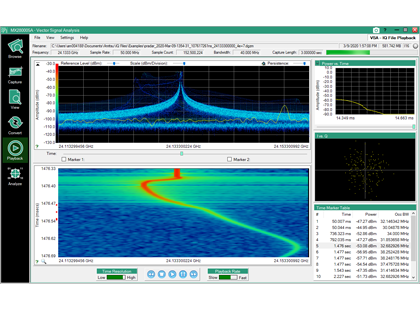
MX280005A 矢量信号分析软件。IQSignalMasterMX280005A矢量信号分析软件提供完整的测量工具集,用于对安立MS2090A、MS2720xA等频谱分析仪捕获的IQ数据文件进行后处理与分析。
ONETEST 欢迎您
厂商登录 | 入驻
登录 | 注册 购物车 微信公众号厂商登录
类似产品

4、5和6系列入门专业旗舰版软件
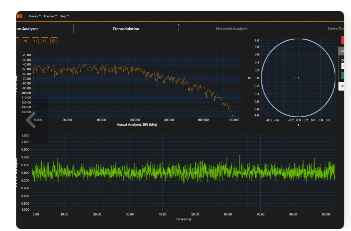
通道功率测量占用带宽测量用于更深入分析的解调无缝流盘查看星座图、频域、时域、频谱图和持久性录制/回放
同厂商产品
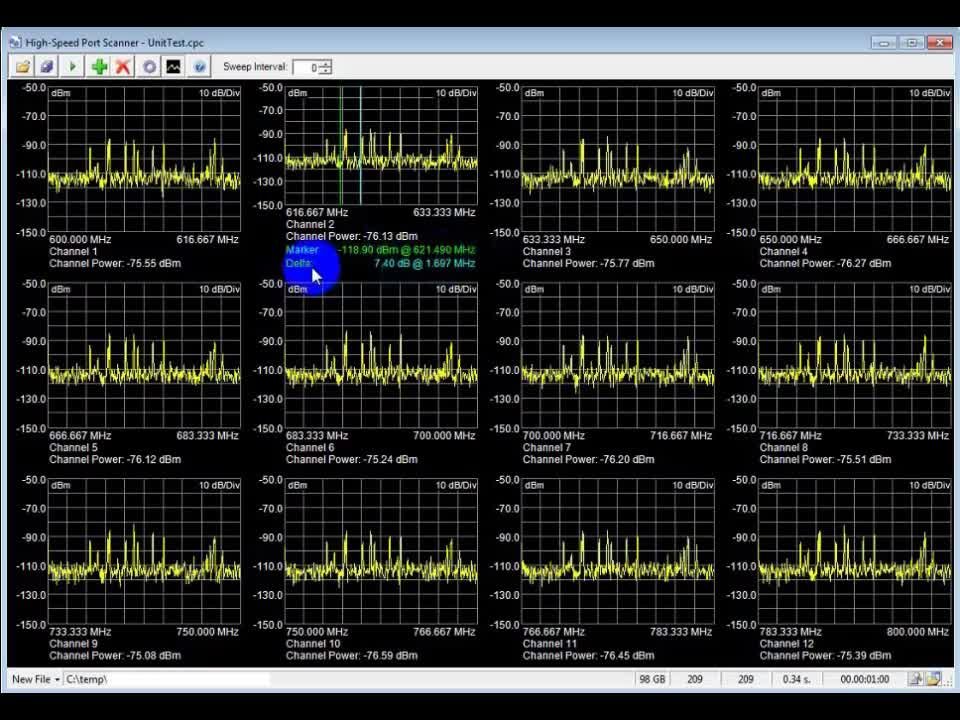
MX280001A 远程频谱监测软件(产品类型 远程频谱监测与干扰定位软件,运行环境 Windows 7/8/10/11 台式电脑或笔记本电脑)。运行于WindowsPC的远程频谱监测软件,可集中管理多台远程频谱监控器,实现干扰信号识别、告警与POA/TDOA地理定位。
MX280005A 矢量信号分析软件|安立 (在产)
产品描述
详细指标
软件和手册|白皮书
购买渠道
选件
问大家
视频
测评
口碑
系统与解决方案
安立
MX280005A IQ Signal Master 矢量信号分析软件
PC 端 IQ 数据捕获与后处理软件,配套安立频谱分析仪完成矢量信号分析与文件格式转换。
产品简介
IQ Signal Master MX280005A 矢量信号分析软件提供完整的测量工具集,用于对安立 MS2090A、MS2720xA 等频谱分析仪捕获的 IQ 数据文件进行后处理与分析。
文件转换模式可将受支持分析仪捕获的 IQ 数据转换为安立 MG3710E 矢量信号发生器回放所需的格式,进一步扩展整体测试能力。
该软件面向国家无线电频谱监管机构、安全机构与国防电子企业,用于深入分析现场捕获的射频信号。
核心特点
• PC 端 IQ 数据捕获与后处理应用
• 兼容 MS2090A、MS2080A、MS27200A、MS27201A 与 MS2710xA 频谱分析仪
• IQ 文件浏览器,可查看 IQ 文件元数据详情
• 可在 MX280005A 界面内控制 IQ 数据捕获
• 基础 IQ 数据查看器;IQ Player 提供高分辨率频率-时间显示
• AM/FM 解调、捕获窗口的频谱视图
• IQ 文件格式转换器
• 支持连续或单次捕获;支持常见调制标准的调制质量分析
• 运行于 Windows 10 与 Windows 11
功能与结构
PC Requirements
Tablet and Laptop Requirements
The IQ Signal Master Vector Signal Analysis Software MX280005A works with Windows 10 and 11 operating systems.
Licensing
The MX280005A software requires a PC node-locked license or a USB dongle for use of the IQ Player and IQ Converter applications. The spectrum analyzer used to capture signals must have Option 124 or 126, and Option 128 installed.
The PC license file format:
1. Download and install IQ Signal Master MX280005A software onto the target PC that will be used to run the licensed software.
Note: Microsoft .NET framework 4.5.2 or higher must be installed on your PC. If .NET 4.5.2 is not present, the MX280005A software installer will prompt you to install this framework. In some Windows installations, there may be a file missing called vcredist_x64.exe. This file is part of the Microsoft Visual C distribution. To use the MX280005A software, you may need to download and execute this file.
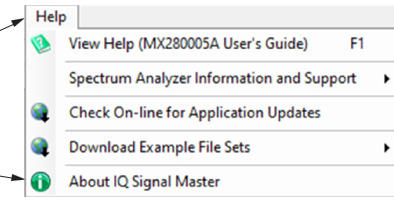
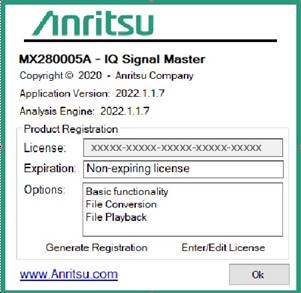
2. Launch IQ Signal Master and open the "About IQ Signal Master" dialog from the Help menu:
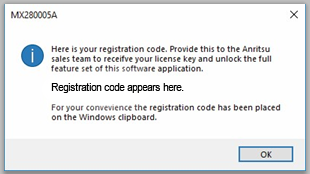
3. Press "Generate Registration" from the About dialog:
4. Record the registration code from the information dialog:
5. Contact Anritsu Sales and Service and provide the registration code for the PC to be licensed. For contact information, see:
6. When you receive your license key, launch IQ Signal Master and open the “About IQ Signal Master" dialog from the Help menu:
The USB dongle license key format:
The PC license is delivered in the form of a physical USB dongle. The licensed features will run on any PC that has the USB dongle inserted at the time of use. This means the software can be installed on multiple PCs but will only run at any moment in time on the PC that has the dongle inserted. Removing the dongle will immediately disable the licensed features on the PC it was removed from. If the USB dongle is lost, a new license key dongle must be purchased.
典型应用
• 现场捕获射频信号的事后分析
• 频谱监测数据的 IQ 级深入分析
• IQ 数据格式转换与信号回放
• 监管机构与安全部门的信号识别
资源下载
• MX280005A IQ Signal Master 矢量信号分析软件 详细指标见 MX280005A IQ Signal Master 矢量信号分析软件 详细指标页。
• 官方资料:IQ Signal Master MX280005A Vector Signal Analysis Software Product Brochure(产品手册)、IQ Signal Master MX280005A Vector Signal Analysis Software User Guide(用户手册)
注:以上内容与指标取自安立官网该产品详情页。
安立 · onetest 仪器资源库
安立
MX280005A IQ Signal Master 矢量信号分析软件 详细指标
PC 端 IQ 数据捕获与后处理软件,配套安立频谱分析仪完成矢量信号分析与文件格式转换。
详细指标
以下为该产品公布的关键指标。
• 兼容 MS2090A、MS2080A、MS27200A、MS27201A 与 MS2710xA 频谱分析仪
• 可在 MX280005A 界面内控制 IQ 数据捕获
• 运行于 Windows 10 与 Windows 11
资源下载
• MX280005A IQ Signal Master 矢量信号分析软件 产品介绍见 MX280005A IQ Signal Master 矢量信号分析软件 产品介绍页。
• 官方资料:IQ Signal Master MX280005A Vector Signal Analysis Software Product Brochure(产品手册)、IQ Signal Master MX280005A Vector Signal Analysis Software User Guide(用户手册)
注:以上内容与指标取自安立官网该产品详情页。
安立 · onetest 仪器资源库
全部
安立官方渠道
厂家联系方式
客户服务热线:400-879-6892
电话:+86-21-6237-0898
传真:+86-21-6237-0899
地址:上海市徐汇区桂平路391号A座23层2301-2303室
邮编:200233
0条提问
X
提问
X
回答
暂无视频
0条口碑
X
发表口碑




 粤公网安备44030902003758