


 客服
客服




IS8002CDV Classic Data Viewer属于数据采集/开关系统类别。The IS8002CDV Classic Data Viewer is waveform display software that inherits the design and performance of the 701992 Xviewer software, a standard waveform view
ONETEST 欢迎您
厂商登录 | 入驻
登录 | 注册 购物车 微信公众号厂商登录
类似产品
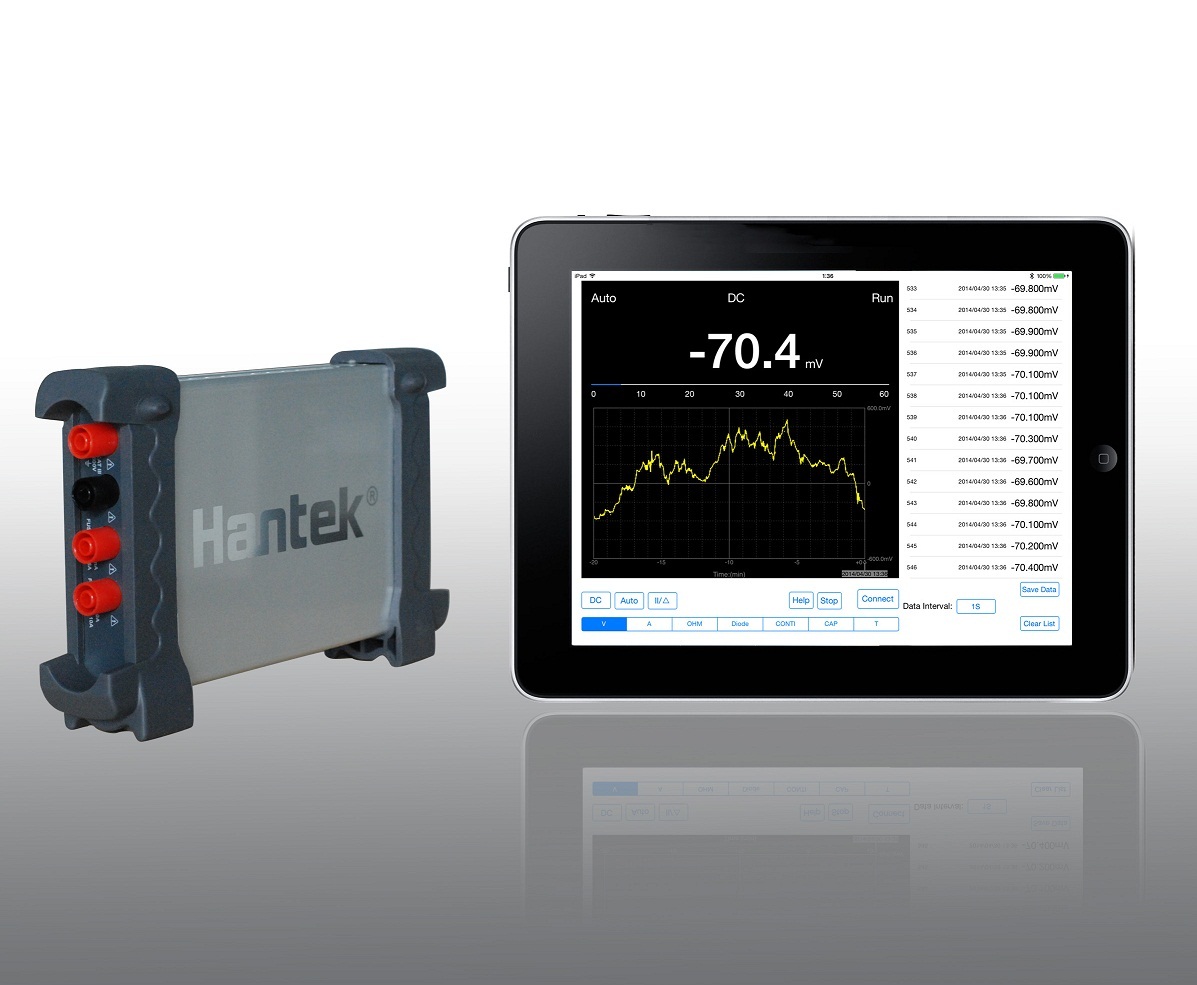
Hantek365F 真有效值蓝牙/USB数据记录仪(接口USB/其他,模块化)。安全的电气隔离;实时长时间记录电压、电流、电阻、电容、温度等,生成趋势曲线图;真有效值;即插即用;支持iPad. iPad 版软件下载。
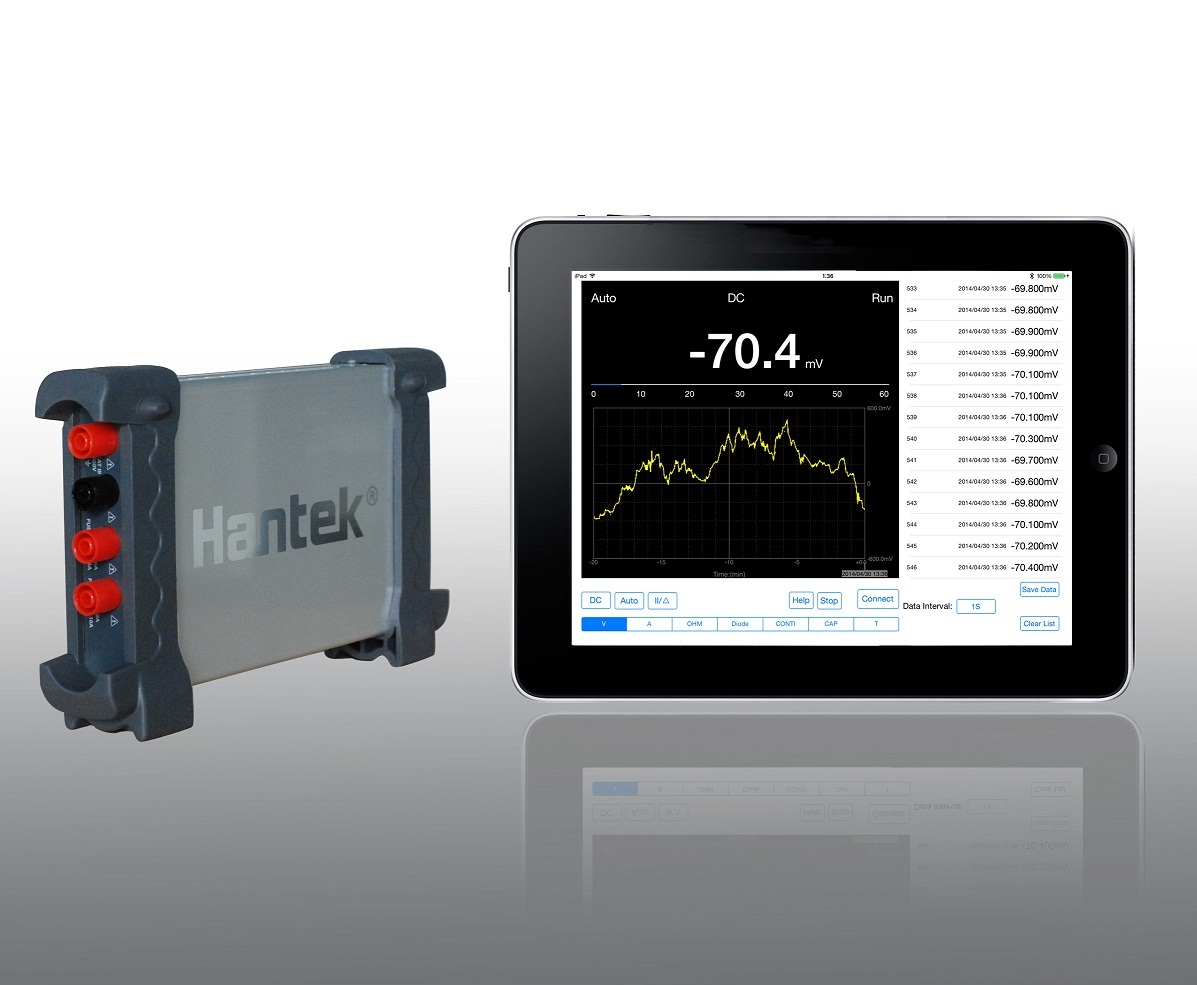
Hantek365E 真有效值蓝牙/USB数据记录仪(接口USB/其他,模块化)。安全的电气隔离;实时长时间记录电压、电流、电阻、电容、温度等,生成趋势曲线图;真有效值;即插即用;支持iPad。 iPad 版软件下载。
Hantek365D 真有效值蓝牙/USB数据记录仪(接口USB/其他,模块化)。安全的电气隔离;实时长时间记录电压、电流、电阻、电容、温度等,生成趋势曲线图;真有效值;即插即用。
同厂商产品
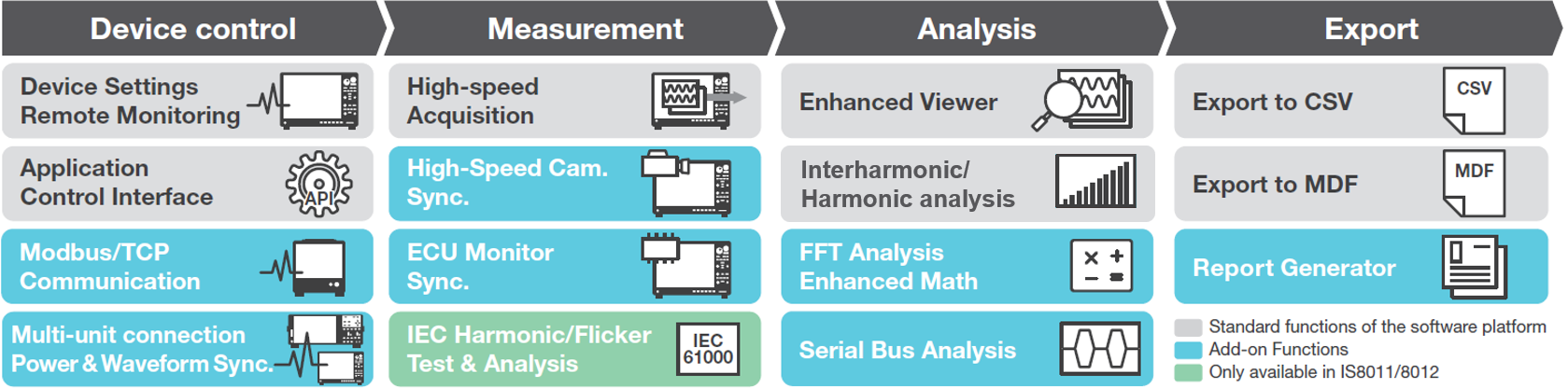
集成软件平台 IS8000属于数据采集/开关系统类别。一百多年来,横河公司始终致力于了解并满足全球研究人员、科学家和工程师的测量需求,并以此享誉世界。专业人员要求其测量系统具备良好的准确性、稳定性和可重复性,以确保获得可靠可信的测量结果。
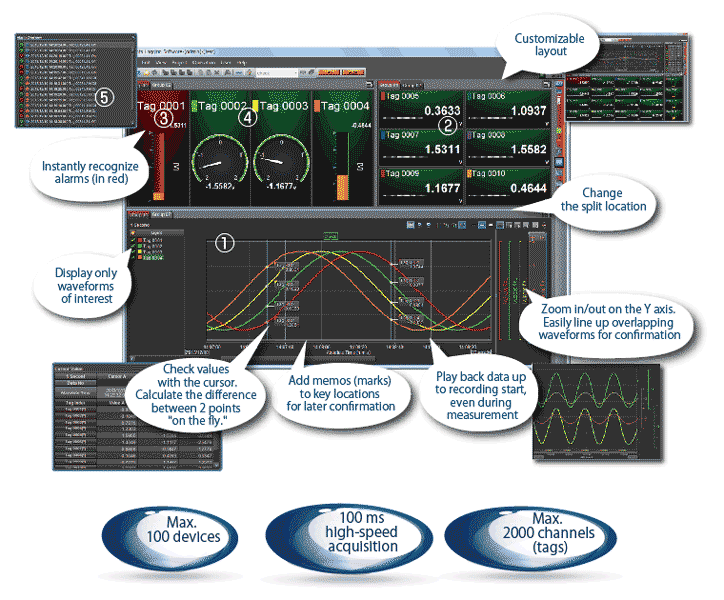
数据记录软件 GA10 (Data Logging Software)属于数据采集/开关系统类别。GA10是基于PC的软件包,可以从SMARTDAC+数据采集系统和其他连接到网络的设备采集实时数据。通过连接的PC,可以监视实时数据和历史数据,这些数据可以保存到PC硬盘或者集中保存到网络驱动器。
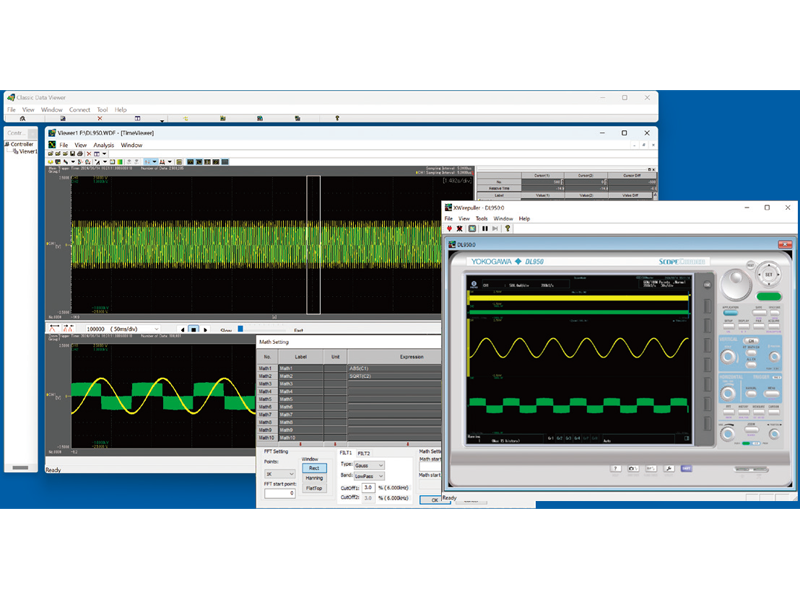
IS8002CDV 数据记录软件|横河测试测量 (在产)
产品描述
详细指标
软件和手册|白皮书
购买渠道
选件
问大家
视频
测评
口碑
系统与解决方案
横河测试测量 YOKOGAWA
IS8002CDV Classic Data Viewer
The IS8002CDV Classic Data Viewer is waveform display software that inherits the design and performance of the 701992 Xviewer software, a standard waveform viewer for YOKOGAWA oscilloscopes and ScopeCorders. It delivers easy and swift processing and enables you to remotely control a measuring instrument, transfer data, view files, and perform math analysis (optional). The IS8002CDV supports the latest oscilloscopes and ScopeCorder in addition to YOKOGAWA’s conventional measuring instruments that are supported by Xviewer. the IS8002CDV Classic Data Viewer does not have the following functions and options that are provided by the 701992 Xviewer software: Report generator, XviewerEYE, DL850 advanced utility, and XviewerLITE
产品简介
IS8002CDV Classic Data Viewer 属于 数据采集/开关系统 类别,面向 示波记录仪 应用场景。更完整的性能说明见本页下方「核心参数」与配套的详细指标页。
官方定位:The IS8002CDV Classic Data Viewer is waveform display software that inherits the design and performance of the 701992 Xv…
核心参数
• Display format:Main, Zoom, History, X-Y
• Cursors:Vertical, Horizontal and X-Y
• Annotation:Comments can be added in the Main, Zoom and X-Y windows
• Save file format:Waveform data file (*.wdf, *.wvf, *.csv, *.xls, *.fld, *.mat) / Screenshot file (Clipboard, *.bmp, *.png) / Waveform parameters automatically calculated (*.csv) / Display settings (*.csv)
• Print:Waveform displayed
• Operations:+, -, x, /, Phase Shift, ABS, SQRT, LOG, EXP, RMS, NEG, SIN, COS, TAN, ATAN, PH, DIF, DDIF, INTG, IINTG, BIN, P2, P3, F1, F2, FV, PWHH, PWHL, PWLH, PWLL, PWXX, DUTYH, DUTYL, FILT1, FILT2, HLBT, MEAN, LS, RS, PS, PSD, CS, TF, CH
• FFT Points:Max. 2 M points
• FFT Window:Rect, Hanning and Flat top
• Digital Filter:Gauss, Sharp, IIR
产品特点
Main and Zoom Displays
Xviewer's zoom function works in the same manner as that on the DL instruments; displaying the entire waveform and a zoomed subset of the waveform simultaneously. The waveform can be horizontally and vertically zoomed. Even large amounts of waveform data (More than 2GP with the DL950) can be viewed quickly. The zoom window can be automatically scrolled (with variable direction and speed).
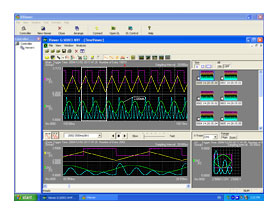
Tm 701992 05
Annotation
Comments can be added as needed, in any position, on the waveform viewer window. All comments, plus the waveform(s) can be printed as displayed.
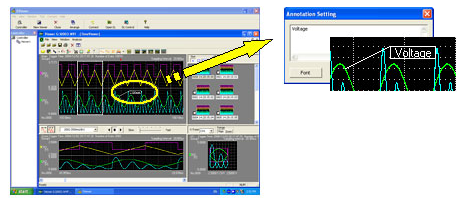
Tm 701992 06
History memory display
Using the DL series instrument's history memory, you can arrange and display thumbnails of multiple acquired waveforms. The selected waveforms are expanded and displayed in the Main screen; multiple waveforms can also be superimposed.
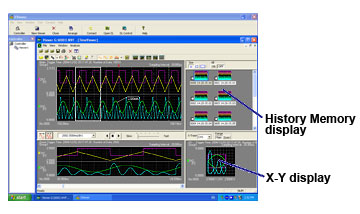
Tm 701992 08
Cursors
Using cursors, you can display the measured values at the points where the cursors intersect the waveform. There are three types of cursors available: horizontal, vertical, and X-Y. If two cursors are displayed, the difference between the them can be calculated and displayed.
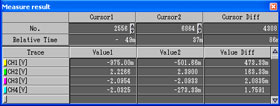
Tm 701992 09
Waveform computation (available only with Math Edition)
Up to 32 math waveforms based on the displayed waveform data can be calculated and displayed. In addition to simple addition, subtraction, multiplication, and division, user-defined equations can be created using a large number of functions including: trigonometry, differentiation/integration, pulse width computation, and six types of FFT calculations. FFT analysis using up to 2M data points can be performed, and a wide variety of functions are available for frequency domain calculations such as power spectrum and transfer functions (amplitude and phase). Digital filtering (low pass, high pass, band pass) calculations for noise rejection and other applications are also included.
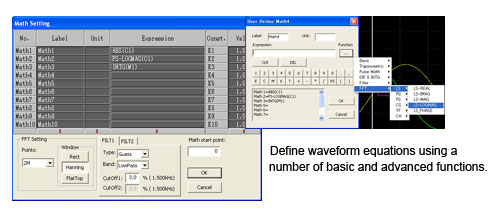
Tm 701992 10
FFT Display
Frequency domain waveforms are displayed in a dedicated FFT viewer window.
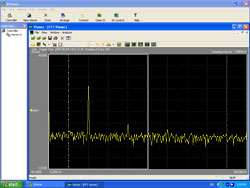
Tm 701992 11
Automated waveform parameter measurements
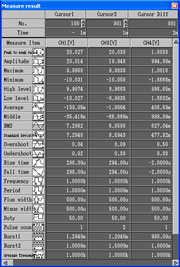
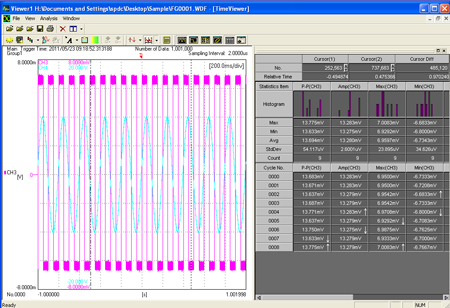
Parameters (characteristics) of the displayed waveforms can be automatically calculated and displayed. Up to twenty-six parameters can be selected. Calculation of the selected parameters is performed automatically and the measured results are displayed in a list (as shown on the left). The results of these calculations can be saved in a CSV file. Cycle Statistics and History Statistics functions, which are both available in DL series instruments, can also be available in Xviewer when the software version is 1.70 or later. A histogram of statistical result(s) can be displayed as well. The statistical result(s) can be saved in a .csv file.
Tm 701992 12
Tm 701992 15
Data conversion
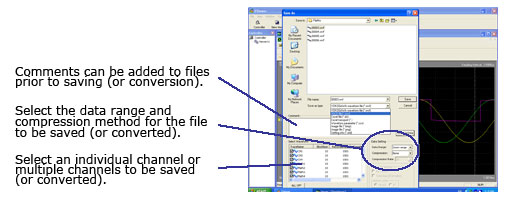
Waveform data files in binary format (useful for data transfer because of their smaller size) can be converted to ASCII, Excel or Floating Point Decimal format and then opened using a spreadsheet program. It also can be converted into MATLAB(*.MAT) format file, then it can be imported into MATLAB.
MATLAB is a registered trademark of The MathWorks, Inc. in the United States.
Tm 701992 13
Remote Instrument Control
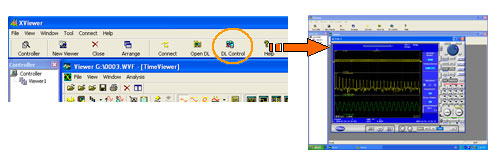
Xviewer supports Ethernet, USB and GP-IB interfaces, allowing you to control DL series* instruments using the PC on which Xviewer is installed. A virtual image of the screen and front panel of the DL that Xviewer is connected to is displayed on the PC. You can perform operations remotely by using your PC's mouse to "click" keys on the virtual screen as if you were pressing the actual keys on the DL.
* except the DL1700
Tm 701992 02
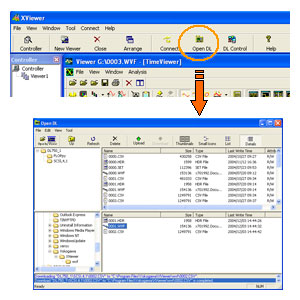
File Transfer
You can perform file transfers between a DL series * instrument and the PC on which the software is installed, via Ethernet, USB or GP-IB. When you connect with the DL, Xviewer displays a list of files residing on the DL. You can select files from the list for download to the PC. * except the DL1700
Tm 701992 03
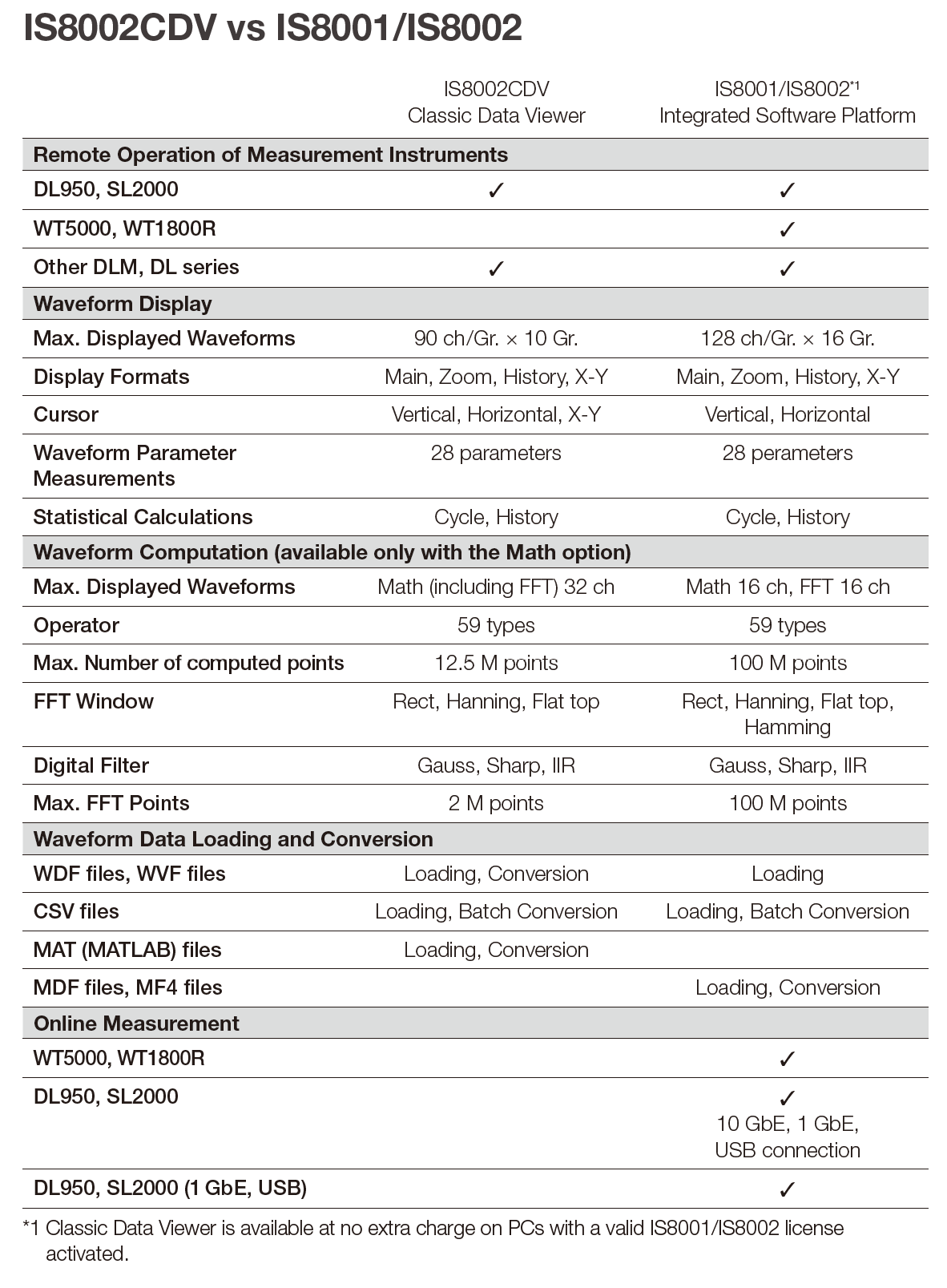
IS8002CDV vs IS8001/IS8002
型号与附件
IS8002CDV Classic Data Viewer Perpetual License
• This is a one-time purchase and can be used perpetually. The platform can be upgraded free of charge for up to five years major software version revisions after purchase. After that, users can continue to use the software in the same environment.
IS8001/IS8002 Integrated Software Platform License
• Classic Data Viewer is available at no extra charge on PCs with a valid IS8001/IS8002 license activated.
资源下载
详细指标请见 IS8002CDV Classic Data Viewer 详细指标页。
横河测试测量 · onetest 仪器资源库
横河测试测量 YOKOGAWA
IS8002CDV Classic Data Viewer 详细指标
IS8002CDV Classic Data Viewer(数据采集/开关系统)关键指标汇总。数据整理自厂商官方产品页与手册资料。
产品简介
The IS8002CDV Classic Data Viewer is waveform display software that inherits the design and performance of the 701992 Xviewer software, a standard waveform viewer for YOKOGAWA oscilloscopes and ScopeCorders. It delivers easy and swift processing and enables you to remotely control a measuring instrument, transfer data, view files, and perform math analysis (optional). The IS8002CDV supports the latest oscilloscopes and ScopeCorder in addition to YOKOGAWA’s conventional measuring instruments that are supported by Xviewer. the IS8002CDV Classic Data Viewer does not have the following functions and options that are provided by the 701992 Xviewer software: Report generator, XviewerEYE, DL850 advanced utility, and XviewerLITE
详细指标
Main specifications
• *1 When opening data files with specific sample rate combinations of the multi-sample rates feature, some channels may not load.
• Compatible instruments (Remote control of the DL series, Waveform Viewer) / DL350, DL750, DL850/DL850E series, DL950*1 , SL1000, SL2000*1 , SL1400, WE7000, DLM2000 series, DLM3000 series, DLM3000HD series, DLM4000 series, DLM5000 series, DLM5000HD series, 他DL/DLM series, SB5000 series / For details, please refer to the User’s Manual IM IS8000CDV-01JA.
• PC System Requirements / PC capable of running Windows 10/Windows 11, Intel Core i5 11th-generation or later processor for notebook PCs Intel CPU, 4 GB memory
• Display Resolution:1366 x 768 dots or higher, 100% zoom
• Supported File types:Binary format (*.wvf, *.wdf) / ASCII format (*.csv) / MATLAB format saved by DL950, SL2000, DL850 series and DL350 (*.mat) / MATLAB format saved by this software (*.mat)
• Max. Number of displayed waveforms / 90/Group, Up to 10 Groups can be set
• Display format:Main, Zoom, History, X-Y
• Number of divided Windows / Max. 16
• Cursors:Vertical, Horizontal and X-Y
• Annotation:Comments can be added in the Main, Zoom and X-Y windows
• Automated Calculation of Waveform Parameters / 28 parameters such as P-P, Amp, RMS and Freq. Cycle Statistics and History Statistics.
• Save file format:Waveform data file (*.wdf, *.wvf, *.csv, *.xls, *.fld, *.mat) / Screenshot file (Clipboard, *.bmp, *.png) / Waveform parameters automatically calculated (*.csv) / Display settings (*.csv)
• Print:Waveform displayed
• Waveform Data Conversion / Waveform data files (*.wvf, *.wdf) can be converted to *.csv / Waveform data files (*.wdf) can be converted to *.wvf / Waveform data files (*.wvf, *.wdf) can be converted to *.fld
• Waveform Computation (available only with the Math option) / Max. Number of displayed waveforms (CHs) / 32 waveforms (Math1 to Math32)
• Computation Accuracy (resolution) / Single floating point number
• Operations:+, -, x, /, Phase Shift, ABS, SQRT, LOG, EXP, RMS, NEG, SIN, COS, TAN, ATAN, PH, DIF, DDIF, INTG, IINTG, BIN, P2, P3, F1, F2, FV, PWHH, PWHL, PWLH, PWLL, PWXX, DUTYH, DUTYL, FILT1, FILT2, HLBT, MEAN, LS, RS, PS, PSD, CS, TF, CH
• FFT Points:Max. 2 M points
• FFT Window:Rect, Hanning and Flat top
• Digital Filter:Gauss, Sharp, IIR
• Max. Number of computed points / 12.5 M points (depends on the number of Math channels)
手册与资料
说明
以上指标摘自厂商官方产品页与公开手册,若与随机文件不一致,以随箱文件为准。
横河测试测量 · onetest 仪器资源库
全部
横河测试测量官方渠道
厂家联系方式
技术与服务热线:400 820 0372
横河测量技术(上海)有限公司总部及上海分公司
地址:上海市长宁区天山西路799号603室
邮编:200335
电话:(86)-21-6239 6363
华东、华中、西南地区
苏州办事处
地址:苏州工业园区苏华路8号中银惠龙大厦1608室
邮编:215021
电话:(86)-512-6762 5501
杭州办事处
地址:杭州市西湖区古墩路387号绿城金桂大厦908室
邮编:310012
电话:(86)-571-8779 9106
南京办事处
地址:南京市鼓楼区云南北路49号天星翠琅大厦12楼J座
邮编:210009
电话:(86)-25-8315 3019
无锡办事处
地址:无锡市惠山区探索路6号宇野科技大厦B栋1807室
邮编:214000
电话:(86)-510-8359 0699
武汉办事处(通用测试)
地址:武汉市东湖新技术开发区光谷大道中国光谷云计算海外高新企业孵化中心1号楼2707室
邮编:430073
电话:(86)-27-6552 7728/7729
成都办事处
地址:成都市高新区吉泰五路88号香年广场3栋906号房
邮编:610095
电话:(86)-28-8620 2660/2680
北京分公司
地址:北京市东城区崇文门外大街8号院1号楼12层西塔1204-5,1204-6号
邮编:100062
电话:(86)-10-8522 1699
东北、华北、中原、西北地区
长春办事处
地址:长春市南关区亚泰大街6789号万晟商务花园2号楼1203室
邮编:130022
电话:(86)-431-8860 6412
沈阳办事处
地址:沈阳市沈河区青年大街169号盛华公馆A座813
邮编:110004
电话:(86)-24-3165 7770
天津办事处
地址:天津市南开区宾水西道时代奥城酒店式公寓19号楼1215房间
邮编:300381
电话:(86)-22-8378 8675
青岛办事处
地址:山东省青岛市市北区连云港路33号万达商务楼B座3018室
邮编:266034
电话:(86)-532-5568 5892
西安办事处
地址:西安市西咸新区沣东南路1000号环普西安沣东科创园A1栋3层301-2单元
邮编:710086
电话:暂无
武汉办事处(光通信测试)
地址:武汉市东湖新技术开发区光谷大道中国光谷云计算海外高新企业孵化中心1号楼2707室
邮编:430073
电话:(86)-27-6552 7728/7729
深圳分公司
地址:深圳市福田区益田路6009号新世界商务中心1405室
邮编:518026
电话:(86)-755-8373 4453/4456/4458/4459
华南地区
广州分公司
地址:广州市越秀区环市东路362-366号好世界广场2707
邮编:510060
电话:(86)-20-8371 7571/8365 8409
东莞办事处
地址:东莞市南城区宏北路18号碧桂园商务中心1522室
邮编:523000
电话:(86) -769-2288 8391
授权代理商
北京诺约科技有限公司 办公地址:北京市朝阳区大屯路222号院2号楼10层1009 联系电话:010-68944158 电子邮箱:market@promise-auto.com
WT300/GP/GM系列产品代理商
深圳市科瑞杰科技有限公司 代理区域:深圳市、惠州市、东莞市 办公地址:广东省深圳市龙华新区东环一路与建设路口恒和国际大厦1204 联系电话:0755-29812627/13823584162 电子邮箱:sales@keruijie.com.cn
北京凡实测控技术有限公司 代理区域:北京 办公地址:北京市丰台区玉泉营桥111文化产业园中科万邦大厦A501 联系电话:010-68456100/18518917293 电子邮箱:18518917293@163.com
大连通测仪器有限公司 代理区域:辽宁省 办公地址:辽宁省大连市沙河口区联兴巷18号22-5 联系电话:0411-88855568 电子邮箱:dltcyq@163.com
杭州鼎伟电子有限公司 代理区域:浙江省 办公地址:浙江省杭州市钱塘区下沙街道望钱塘印中心4幢505,506室 联系电话:0571-86705627/13656818305 电子邮箱:hanxiaojian@hzdwdz.com
西安益泰金泓电子科技有限公司 代理区域:陕西省、甘肃省 办公地址:陕西省西安市高新区锦业一路研祥城市广场B座3029室 联系电话:029-81100955/15319801817 电子邮箱:caihongdeweixiao@yitaijinhong.com
曲尺技术(武汉)有限公司 代理区域:湖南省、湖北省、江西省 办公地址:湖北省武汉市东湖高新技术开发区高新六路99号南山光谷自贸港A栋705# 联系电话:027-87771662/15377622261 电子邮箱:sales@eanalyzer.com.cn
成都曲尺科技有限公司 代理区域:四川省、云南省、贵州省、西藏自治区、重庆市 办公地址:四川省成都市金牛区兴科中路3号2栋2单元1层1号309室 联系电话:18927491671 电子邮箱:libiao@eanalyzer.com.cn
纬斯康(青岛)科技有限公司 代理区域:山东省 办公地址:山东省青岛市市北区黑龙江南路2号丙万科中心C栋1622室 联系电话:0532-85611860 / 18562590015 电子邮箱:wsk@wisecom-tech.com
郑州晶测科技有限公司 代理区域:河南省 办公地址:河南省郑州市管城区商城东路9号院8号楼1单元8层29号 联系电话:0371-86163367 / 13663005190 电子邮箱:jingcekeji@163.com
上海顺测电子有限公司 代理区域:上海市 办公地址:上海市松江区九新公路1005号4号楼102单元 联系电话:021-53087663 / 18616664242 电子邮箱:tony@shunce.net
DLM3000系列产品代理商
Electronic Scientific Engineering Ltd. 科电工程有限公司 代理区域:香港、澳门 办公地址:25/F Chinachem Exchange Square, 1 Hoi Wan Street, Quarry Bay, Hong Kong
香港鰂鱼涌海湾街1号华懋交易广场25楼 联系电话:Office 852- 2589 0864/ Mobile 852- 5109 7238 电子邮箱:alexleung@ese.com.hk
便携式产品(PTI)、MT/MC压力测量仪 代理商
上海横久电子科技有限公司 代理区域:上海市、江苏省、浙江省、安徽省、江西省、湖北省、湖南省、福建省 办公地址:上海市共和新路3699号共和国际商务广场A栋519室 联系电话:021-61810102 电子邮箱:yokoever@yokoever.com
广州技创电子设备有限公司 代理区域:广东省、广西省、海南省 办公地址:广州市黄埔区开创大道2395号至泰广场A2栋1104室 联系电话:13711672610 电子邮箱:daqi.li@jichuang-china.com
OTDR系列产品代理商
北京益安佳光电科技发展有限责任公司 代理区域:全国 办公地址:北京市海淀区巴沟南路35号京江阳光写字楼C座201-209室 联系电话:010-82562516 电子邮箱:daihongling@bj-everbetter.com.cn
北京路和兴信息技术有限公司 代理区域:全国 办公地址:北京市朝阳区八里庄西里99号住邦2000商务中心2号楼1701室 联系电话:010-85869430 电子邮箱:my117@lookworld.com.cn
成都雄博科技发展有限公司 代理区域:全国,以西南为主 办公地址:四川省成都市高新区环球中心西区(W5)7幢11楼1106号 联系电话:028-85140748 电子邮箱:18981784997@163.com
福州福光电子有限公司 代理区域:全国 办公地址:福建省福州市台江区广达路68号金源大广场东区24层 联系电话:0591-83305858 电子邮箱:hongji@fuguang.com
深圳维博信通科技有限公司 代理区域:全国 办公地址:广东省深圳市福田区新洲九街嘉葆润金座A座1713-1714室 联系电话:0755-25310527 电子邮箱:ford@ever-sun.com.cn
0条提问
X
提问
X
回答
暂无视频
0条口碑
X
发表口碑


 粤公网安备44030902003758